New and Noteworthy in MiWorkplace V1.25.0
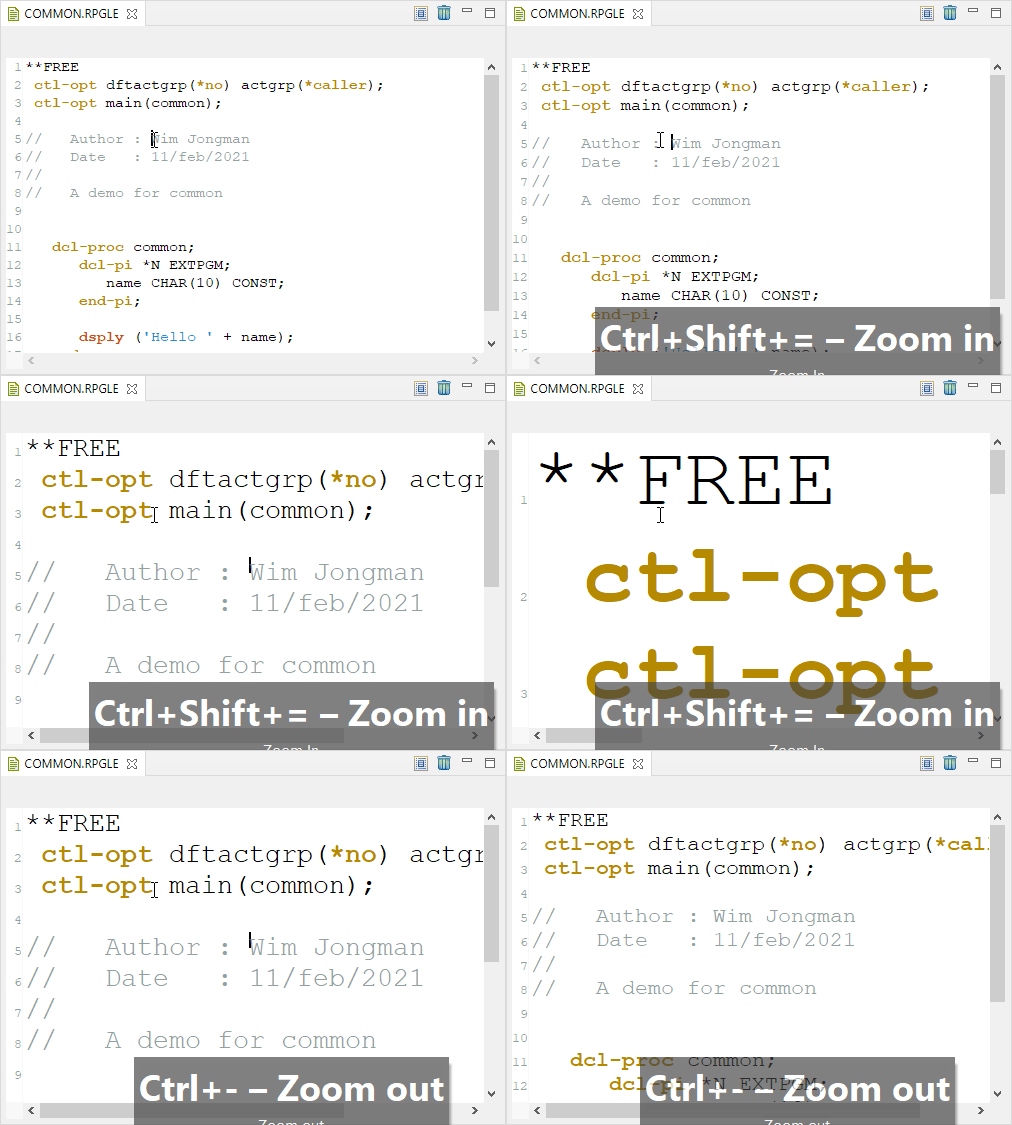
| E014 - Shortcut to increase/decrease font size | Quickly increase and decrease the font size of the editor by pressing the CTRL+PLUS and the CTRL+MINUS key combinations.
|
|---|
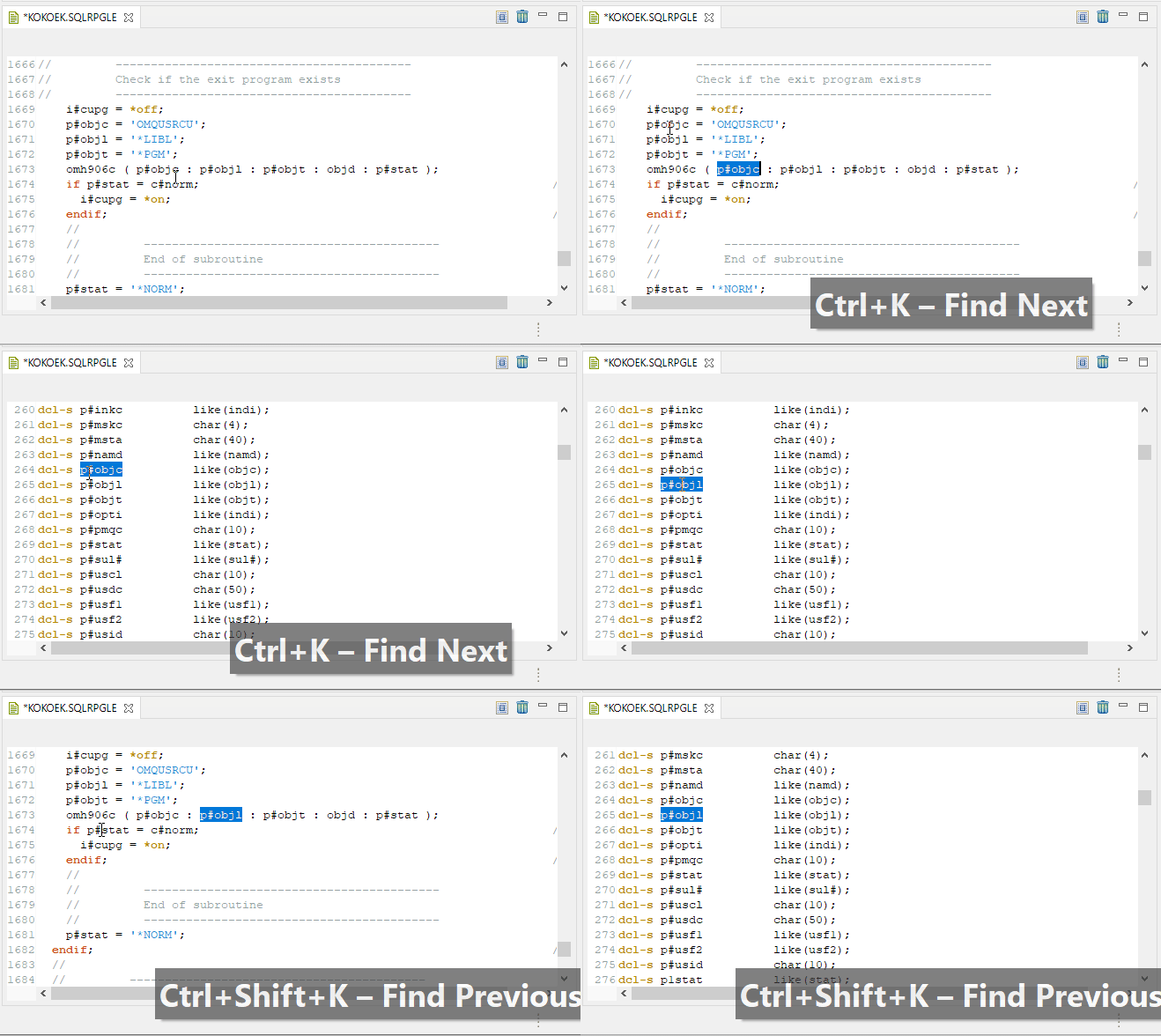
| 00065 - Search next and previous (CTRL+K / CTRL+SHIFT+K) | Search next and previous shortcuts (CTRL+K and CTRL+SHIFT+K) only worked in combination with the search dialog (CTRL+F). Now they also work standalone.
Just select a piece of text and press CTRL+K or CTRL+SHIFT+K to search the document quickly.
|
|---|
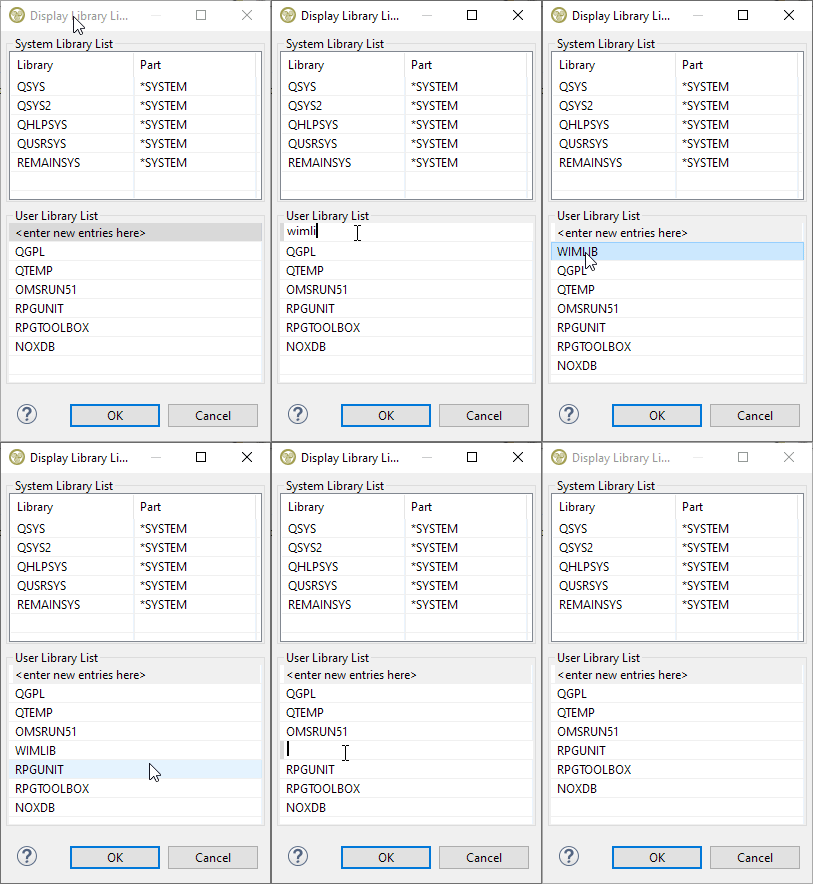
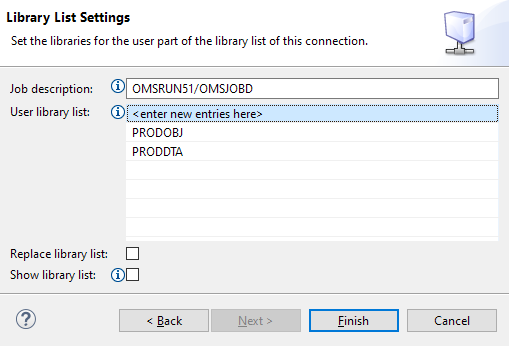
| E026 - Edit library list from connection | You can now directly edit the library list by right-clicking on the connection and choosing Library List...
|
|---|
| 00022 - Integrate MiWorkplace with TD/OMS | TD/OMS now comes with MiWorkplace integration that is on the same level as the integration with RDi for all functions supported by MiWorkplace.
|
|---|
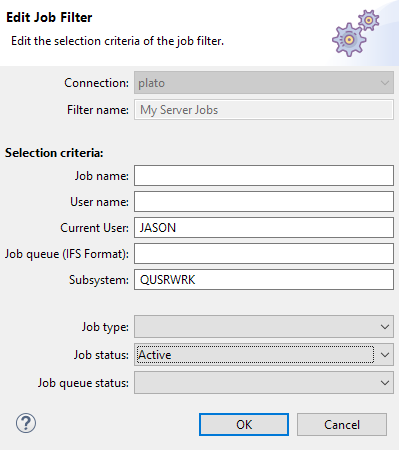
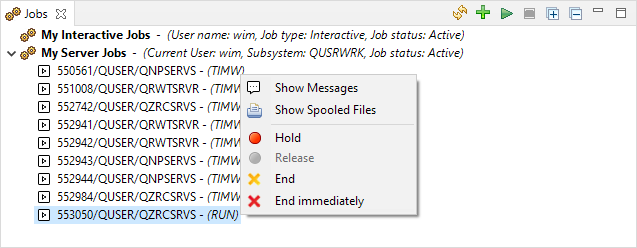
| E019 - Job list selection of current user and subsystem | The job view filters allow the selection of the current user. This enables you to list jobs that run on behalf of a user. It is also possible to filter on jobs in a specific subsystem.
|
|---|
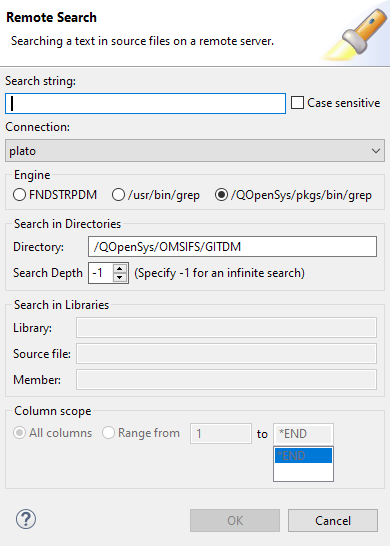
| 00028 - IFS Search | The remote search is now available from the explorer context menu. Also, it enables IFS search by adding two flavors of grep as a search engine. The old-style QSH grep when the open-source tooling has not been installed or the new QOpenSys/pkgs/bin/grep. For more information about the new search capabilities, see the Remote Search and the Remote Search Result chapters.
|
|---|
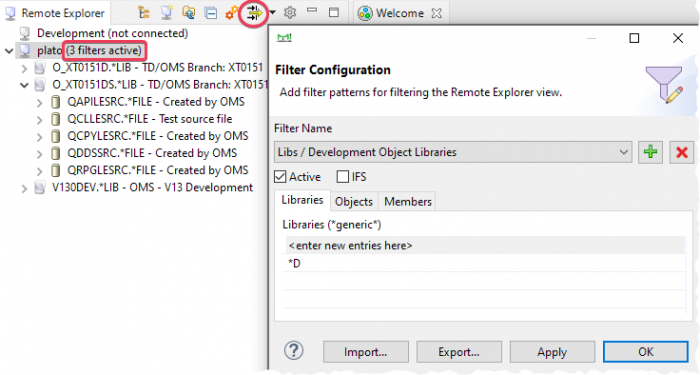
| Q004 - MiWorkplace filtering | A flexible filtering system was added, enabling you to define categorized filters for the QSYS and IFS file systems. Filter categories can be toggled on and off together.
|
|---|
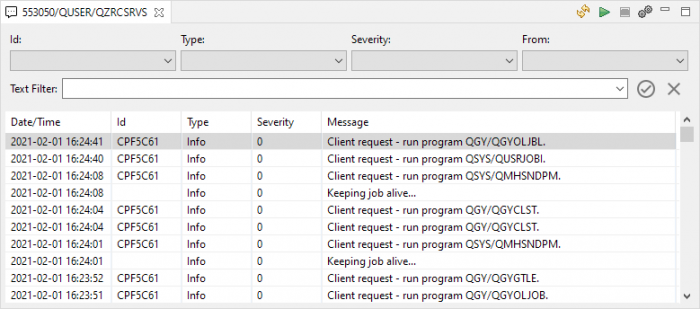
| E020 - Job view enhancements | The Job view is enhanced to make it easier to work with jobs:
The improved job messages view:
|
|---|
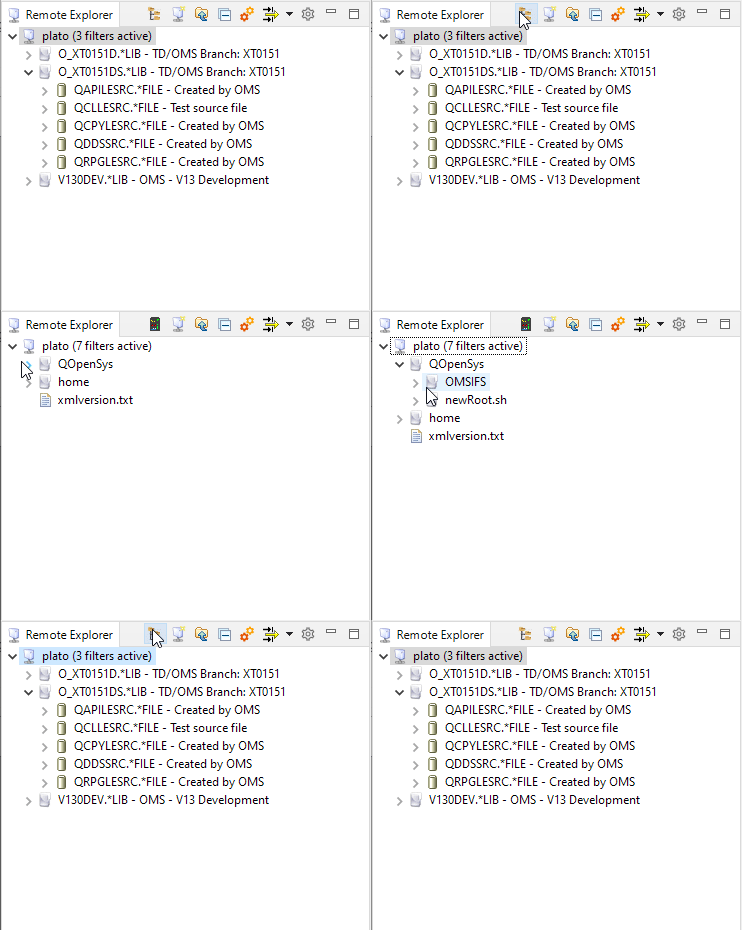
| 00047 - Toggle between IFS and QSYS | A switch to toggle between the IFS and QSys objects has been added to the toolbar.
|
|---|
| E017 - Library List editing | The libraries and library lists widgets in the connection dialog now allow positioning of the libraries in the list using drag and drop.
|
|---|
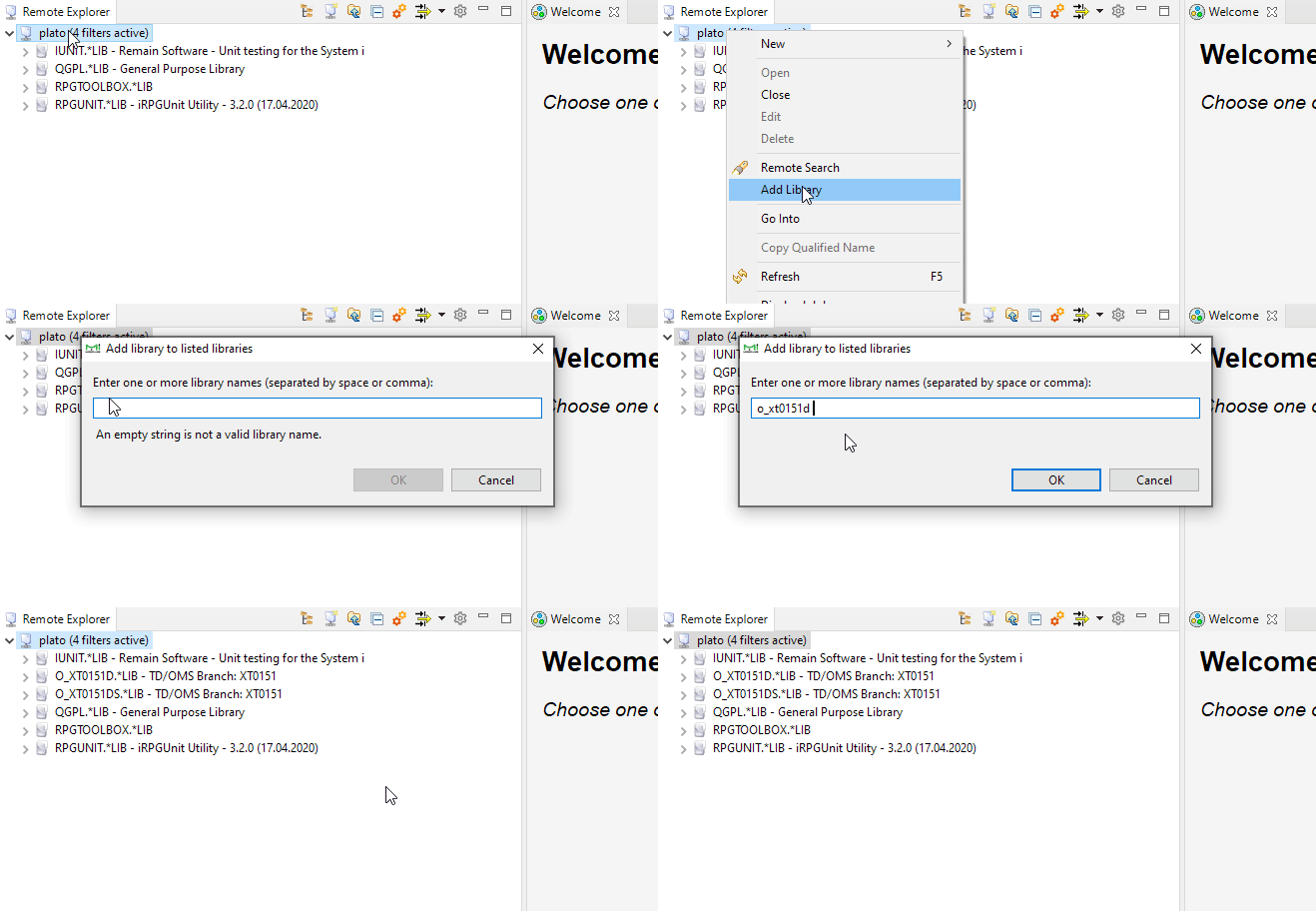
| 00043 - Add multiple libraries | You can now add libraries to an active connection. You can also add multiple libraries in one go.
|
|---|
Other issues/enhancements resolved
- 00006 - Compile result points to source in QTEMP
- The compile results view would show an error when an SQLRPG precompile fails and the event file entry pointed to a source in QTEMP. QTEMP locations are now mapped back to the original source.
- E027 - Keep last selected text if nothing was selected before CTRL+F
- If nothing is selected, the search value was empty after pressing CTRL+F. Instead of making it empty, the previous search value is retained.
- 00066 - Find dialog does not know about edit switch
- If the find/replace panel is open and one switched to another source file, the find did not work on the new source file.
- E026 - Edit library list from connection
- The library list can now be changed on the fly.
- 00060 - MiWorkplace cannot handle unreliable connections
- The UI could behave badly when the connection was dropped. This was changed. MiW will now silently resume the connection (if possible).
- 00023 - Source line modification date
- Source change date in the source line was not preserved. This was fixed.
- 00028 - Remote Search does not search in IFS
- MiWorkplace is now able to search the IFS with grep
- E023 - Preferences should broadcast an event on save
- Plugin developers can now react to events broadcasted by the preferences API
- E022 - Include context-sensitive help
- Now, you can press F1 anywhere in MiWorkplace to get context-sensitive help. Besides, the manual is now available using the Help menu.
- E021 - Switch to platform debug
- We are switching away from LogService logging to platform logging.
- 00050 - Dropped Connection opens an empty member
- When the connection is wonky, the editor might open empty. This is unwanted. We now show an error page with instructions
- 00049 - MiWorkplace is not visually updated after an update
- A mechanism is provided to refresh MiWorkplace automatically after updates were made.
- 00015 - Search and Remote Search randomly disappear.
- The remote search menu would randomly disappear. This has been fixed.
- 00029 - MiWorkplace save file option not always available
- Sometimes, with multiple editors open, the save icon would not be active when an editor became *dirty.
- 00042 - Notification does not look good in the dark theme
- Fixed the appearance of the notification window
- E010 - Remote search options
- Remote search now fills in the selected object. Additionally, the search can be started from the context menu.
- 0013 - Search results have misplaced highlights
- The search line highlight was dark over dark, and the highlight was not positioned correctly. This has been fixed.